Introducing Ensemble Helper

One Roster. Connected Tools for Your Ensembles

Spend less time managing lists and more time making music. Connect your rosters, seating charts, attendance, instrument inventory, lockers, and leadership records in one place.

INTRODUCING

Ensemble Display

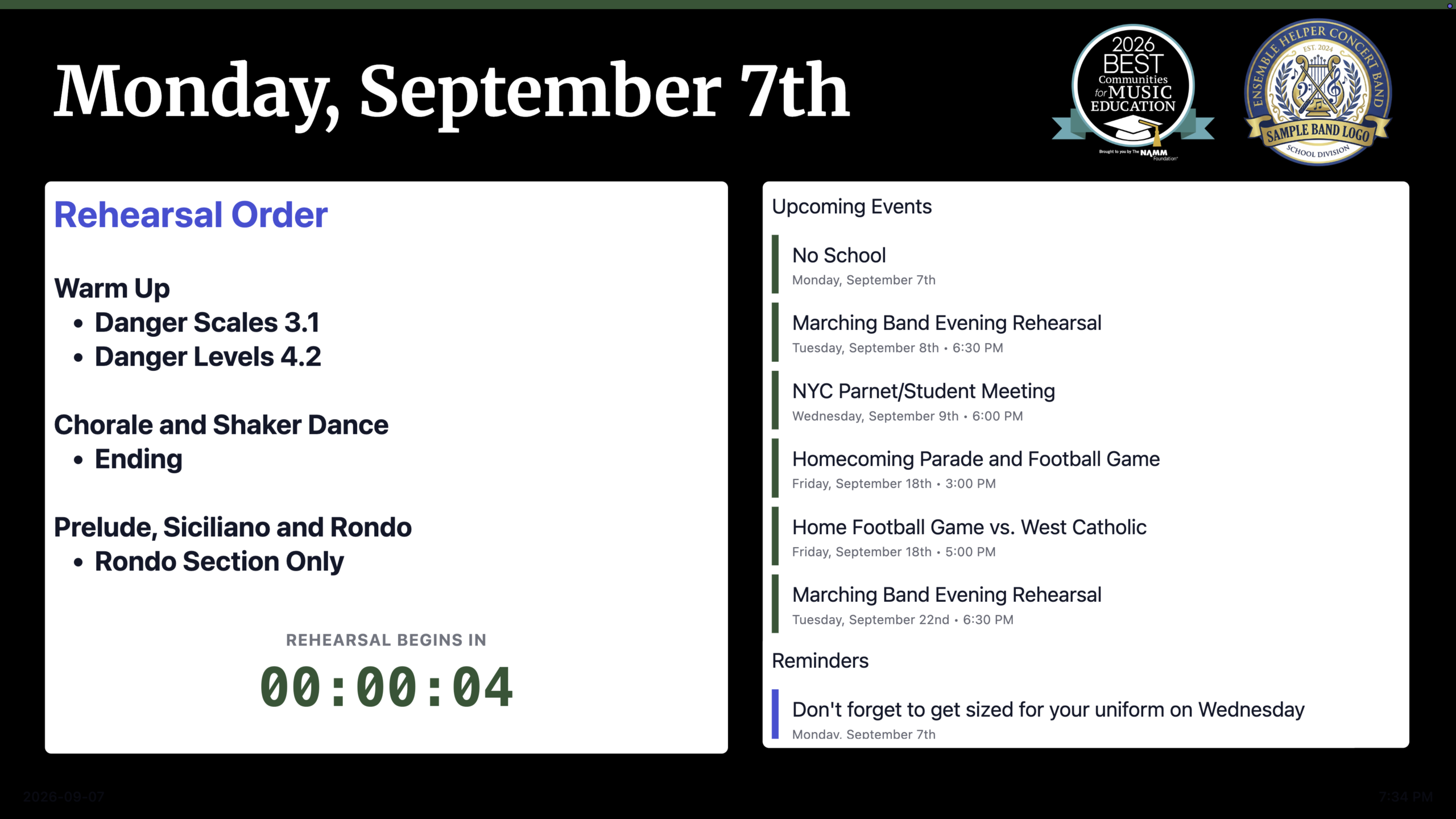
Prepare your displays ahead of time. Let them follow your teaching day. Give every ensemble clear instructions, reminders, and rehearsal slides, ready when students walk in.

Create your displays

Build slides with text, images, and your ensemble logo. Save a default template for each ensemble and reuse slides across classes or school days.

Plan your day

Choose the exact time to switch ensembles, including during passing time. Keep class start and end times connected with Attendance.

Present automatically

Rotate slides at your chosen pace and switch ensembles on schedule. Keep the next class’s display ready while you focus on teaching.
Roster

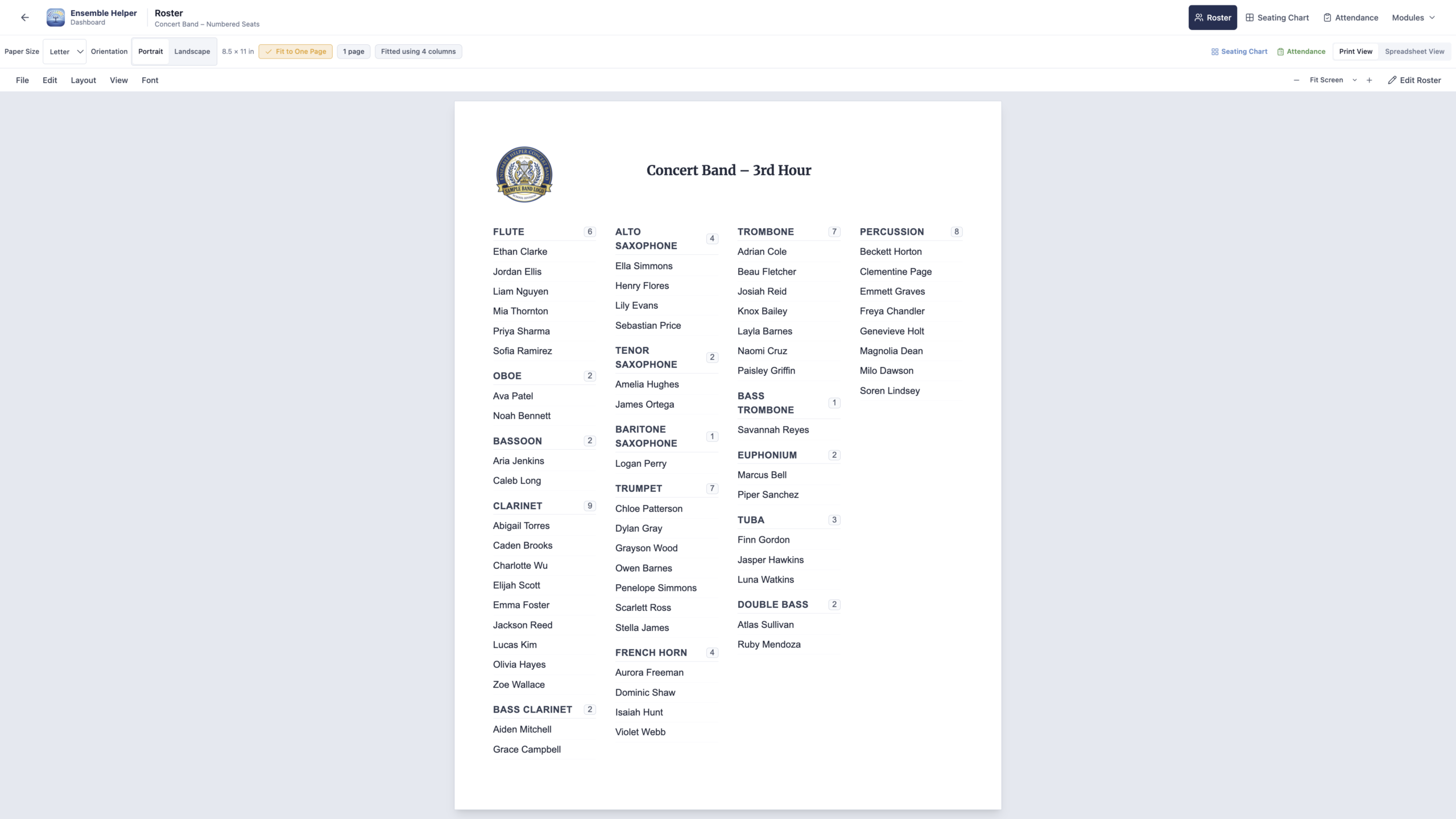
Create one shared roster for your music program. Manage students, instruments, ensemble memberships, contact information, and other important details in one place. Update student information once and use it throughout Ensemble Helper.

Seating Charts

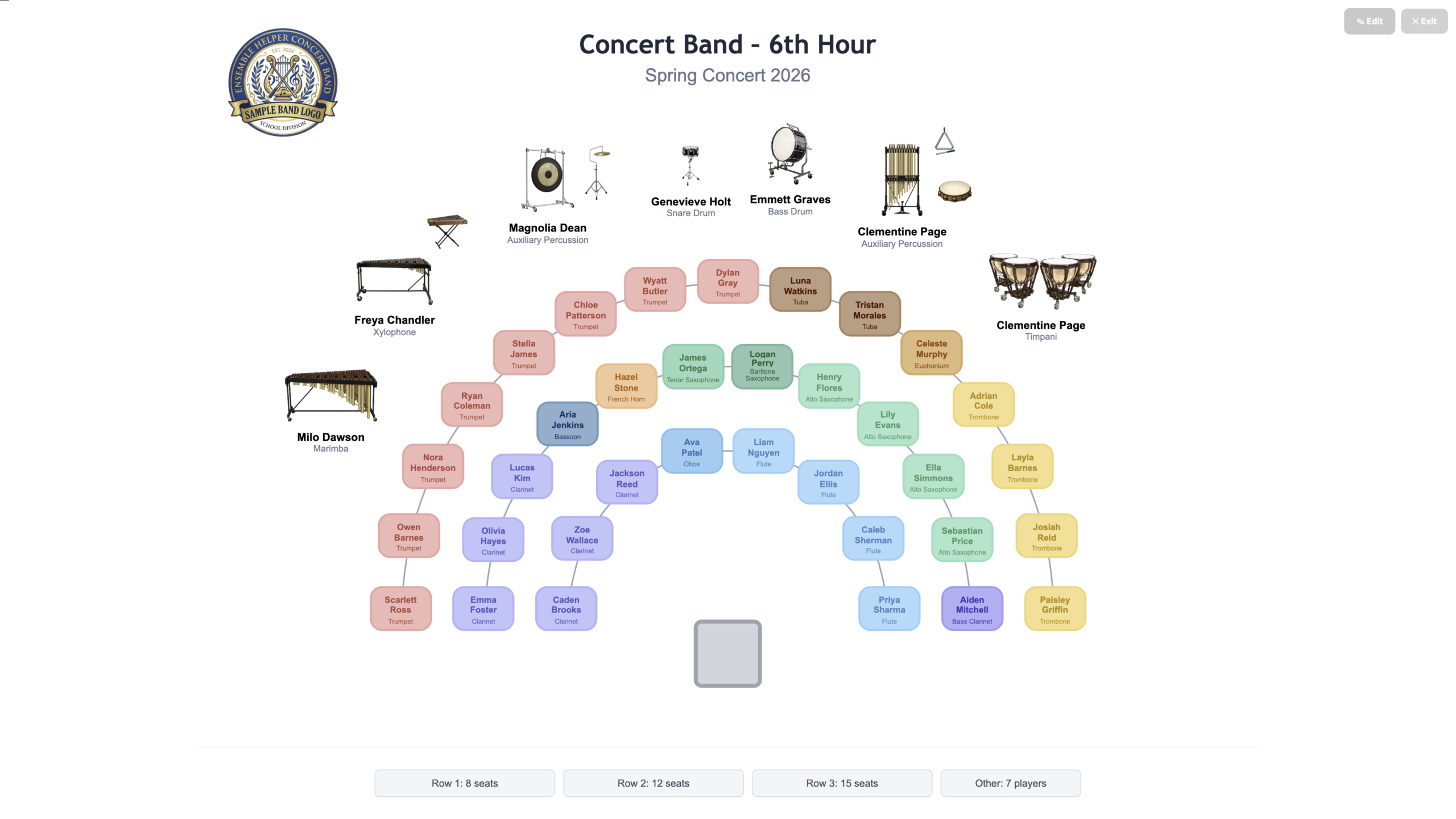
Build flexible seating charts for concert bands, jazz bands, orchestras, marching ensembles, percussion groups, and more. Create rows, arcs, sections, and custom layouts using students directly from your shared roster.

Attendance

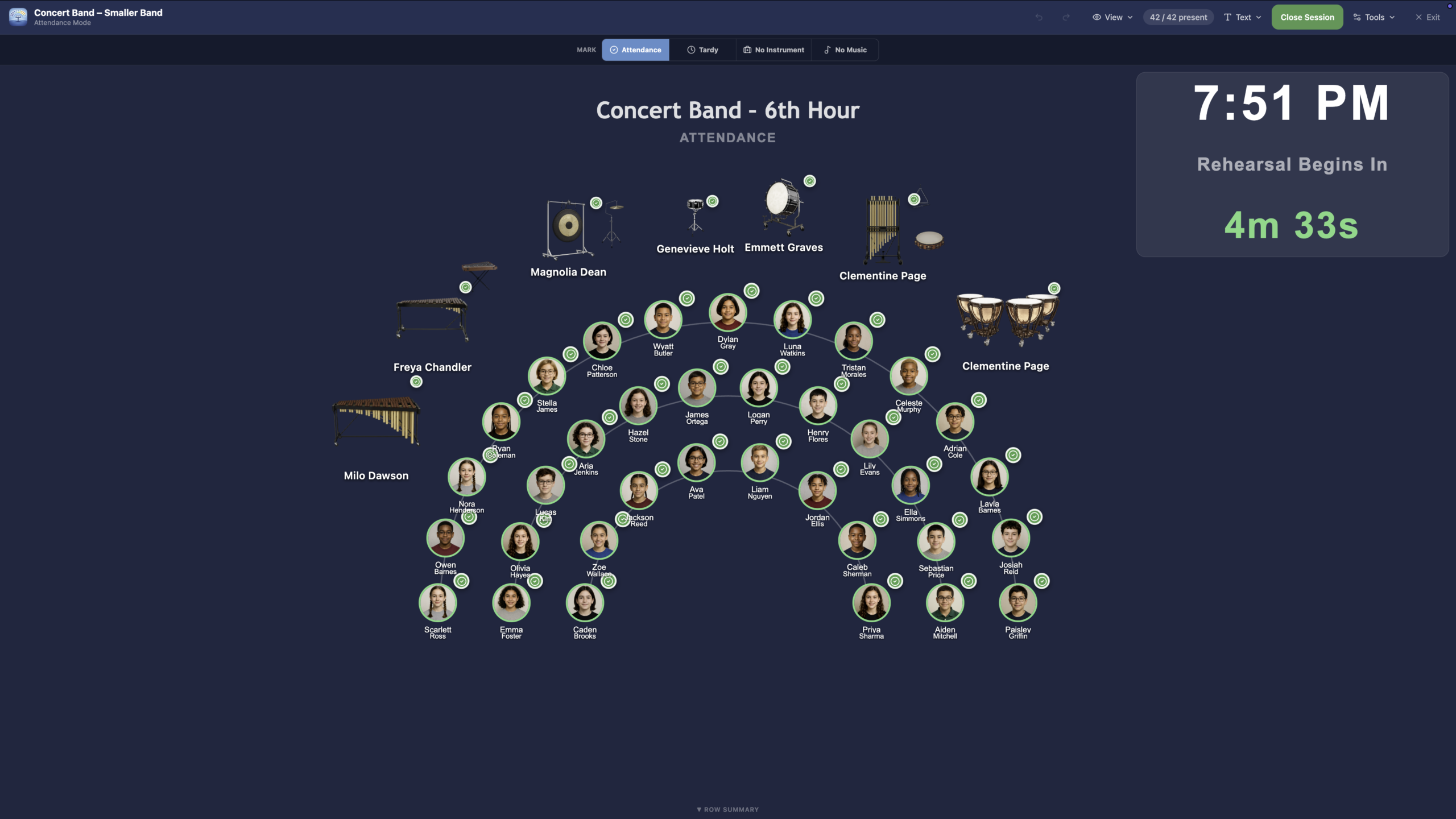
Take attendance quickly for rehearsals, sectionals, performances, and other events. Track present, absent, late, or excused students using the same ensembles and student information already stored in your roster.

Instrument Inventory

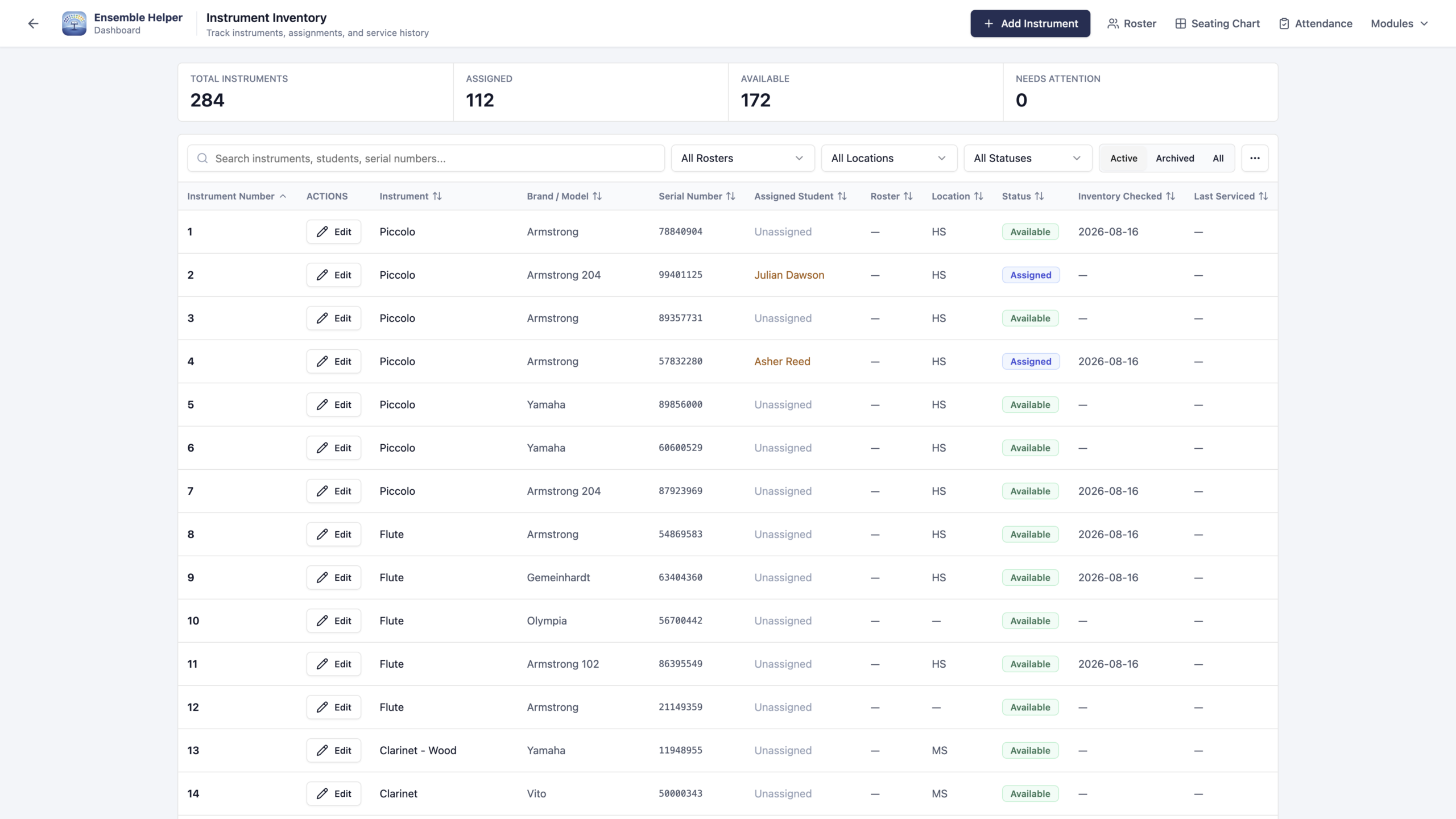
Keep your program’s instruments and student assignments organized in one place. Connect instrument records to your shared roster so you can see who has what without maintaining a separate student list.

Lockers

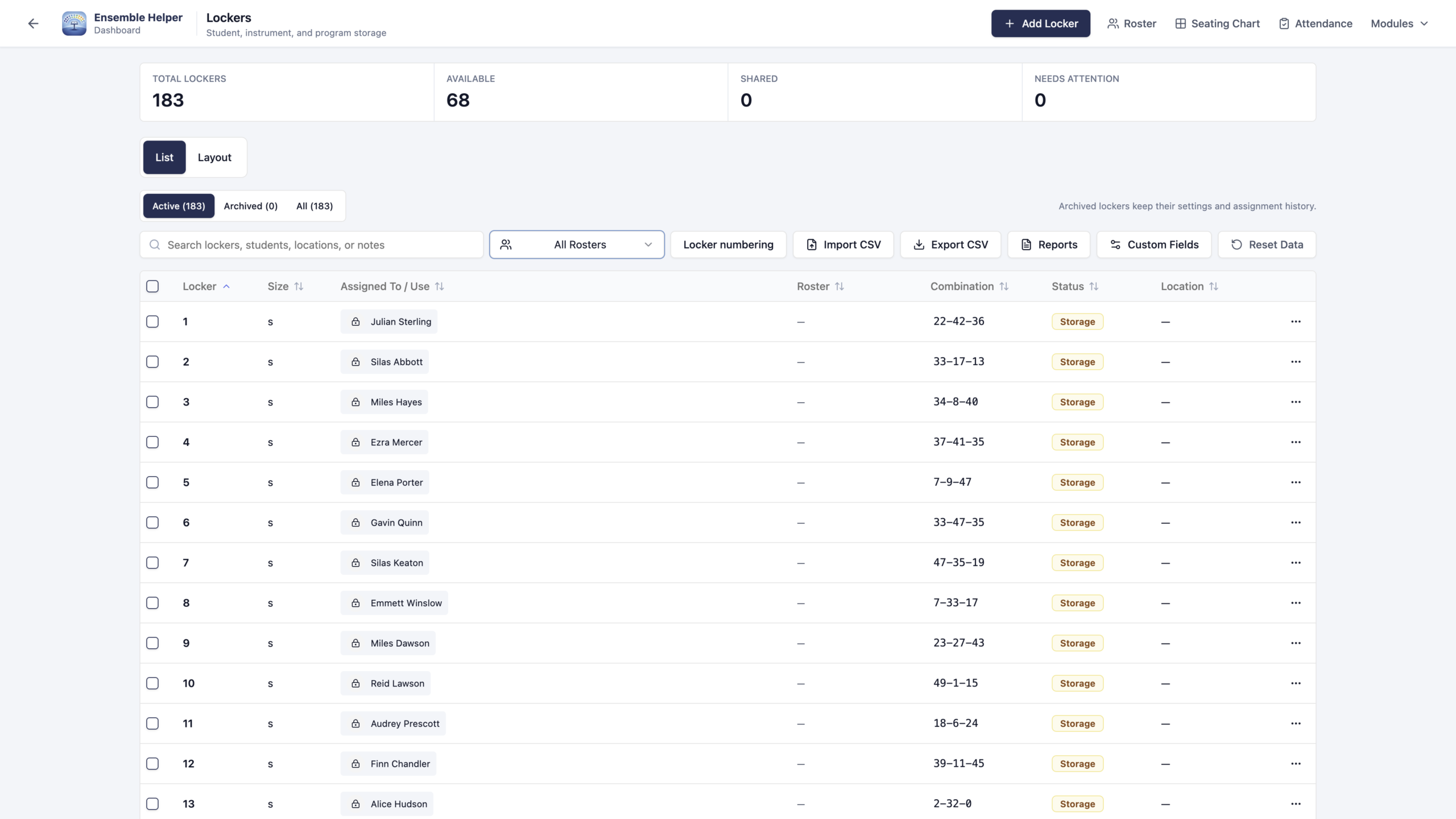
Manage locker use and student assignments alongside the rest of your program. Keep locker records connected to your roster so you can review assignments and update them as your ensembles change.

Leadership

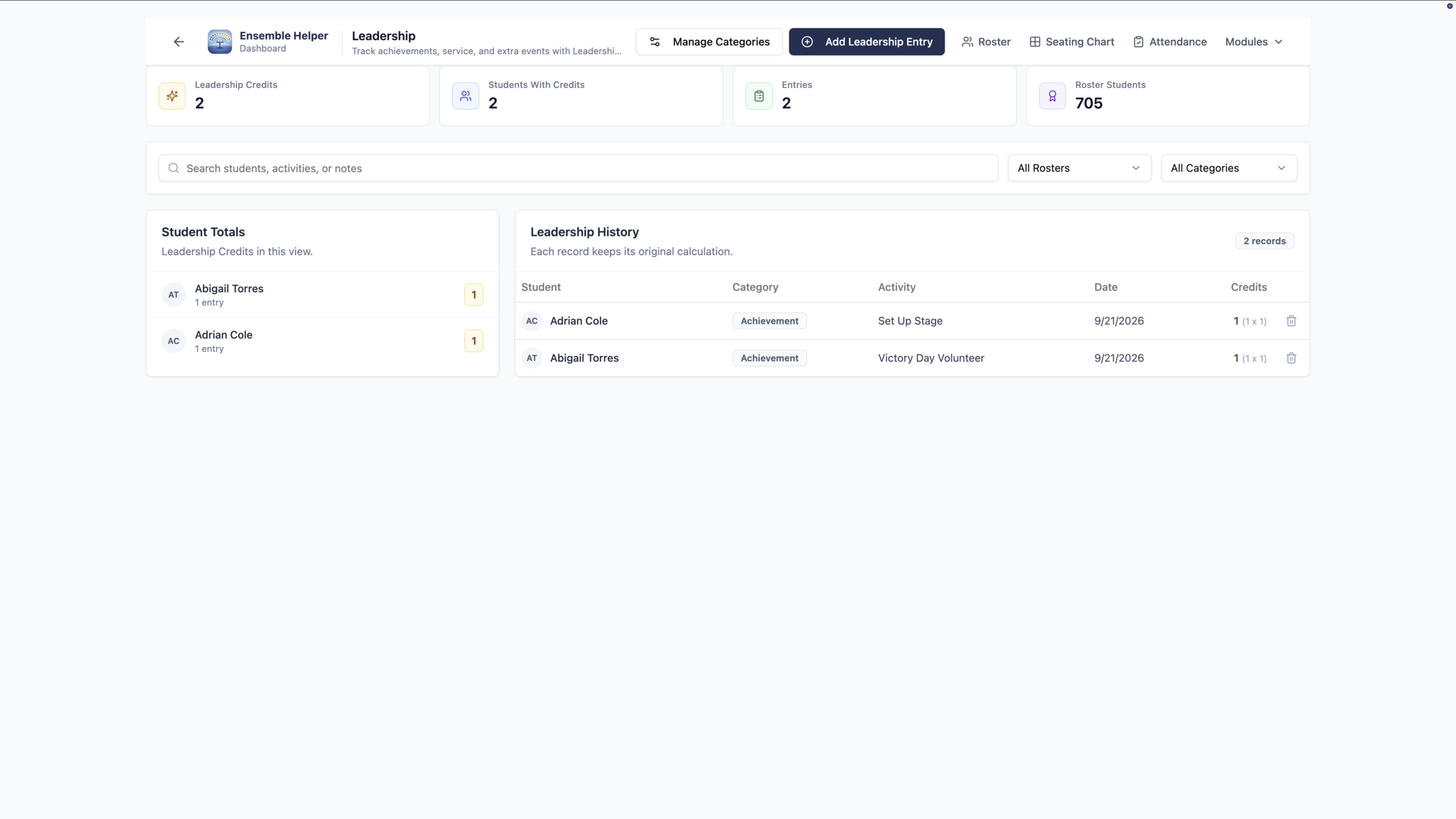
Recognize the contributions students make to your music program. Track achievements, service, and leadership credits with customizable categories connected to your shared roster.

What Our Users Say

Real experiences from music directors, sharing their success stories.
Rated 5 out of 5

“Ensemble Helper Seating Charts are flexible enough to match real ensemble setups and simple enough to update as students, sections, and rehearsal needs change.” 


Lisa Borst

Coopersville Area Public Schools

Coopersville, Michigan

Rated 5 out of 5

“Ensemble Helper simplifies one of the more time-consuming aspects of ensemble management. Creating, updating, and managing seating charts is quick and efficient, which allows the user to focus less time on logistics and more time on actually rehearsing and supporting the ensemble”


Whitney Brainard

Orchestra Operation Coordinator

West Michigan Area

Organize Your Ensembles Today!

Bring your program’s daily work together—from student rosters and seating charts to attendance, instrument assignments, lockers, and leadership records. Keep information organized and spend more time teaching music.

Join Our Mailing List

Get the latest Ensemble Display news, improvements across Ensemble Helper, and practical resources for music directors. Join our mailing list to stay connected as your toolkit grows.

Common Questions

Here are some answers to questions often asked by ensemble directors.

Ensemble Helper brings music-program tasks together in one toolkit: Shared Rosters, Seating Charts, Attendance, Instrument Inventory, Lockers, Leadership, and Ensemble Display. Organize student information, manage daily routines, and prepare rehearsal slides with connected tools built for music directors.

By centralizing your resources and automating routine tasks, Ensemble Helper decreases repetitive work, allowing you to focus more on teaching and less on paperwork.

Music educators, ensemble directors, and teaching assistants will find Ensemble Helper particularly useful as it caters to their specific needs in managing ensembles.

Read our Privacy Policy for details about the information Ensemble Helper collects, how it is used, and the safeguards described for the service. If you have a specific privacy or security question, contact us through Support.

Yes. Customize your charts, ensemble settings, and display templates to suit your program. All current and future Ensemble Helper modules are included in the $39/year subscription, so you can use the tools you need without buying separate module add-ons.

Support

Email Us

Contact us anytime for support or questions.

Need more information?

If you have other questions not covered here, feel free to reach out. We’re here to help you get the most out of Ensemble Helper and support your journey as an educator.