Search and assign
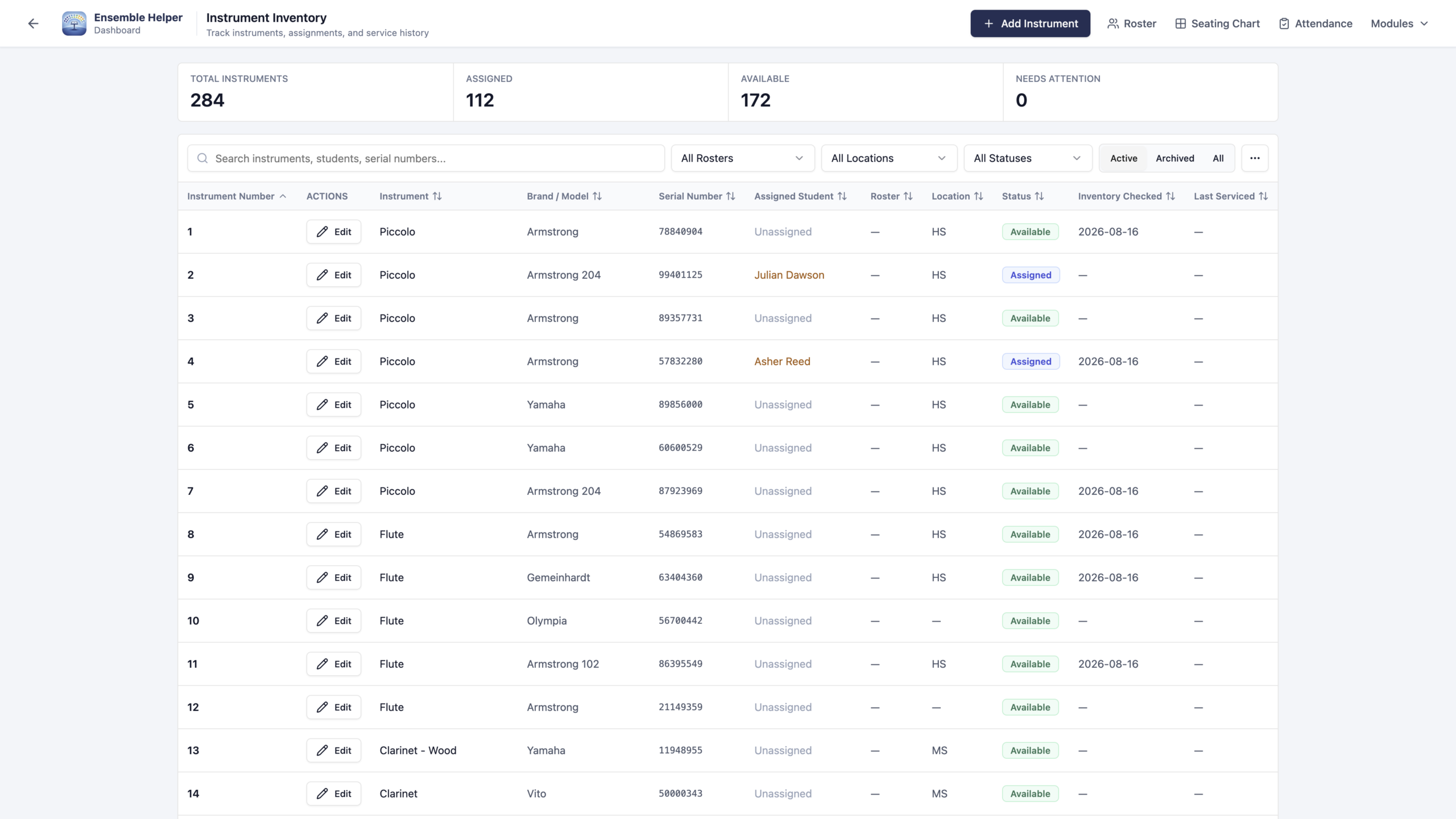
Search and filter by roster, assigned student, location, or status. Make a quick student assignment at the start of rehearsal using your shared rosters.

INSTRUMENT INVENTORY
Keep school-owned instruments organized with the students and ensembles you already manage. Keep assignments, locations, and service information easy to find.
SEE THE WORKFLOW
Explore the original product screenshots. Select an image to enlarge it or view its original available resolution.
A CLEARER VIEW OF EVERY INSTRUMENT
Manage equipment as directors, rosters, and seasons change.
Search and filter by roster, assigned student, location, or status. Make a quick student assignment at the start of rehearsal using your shared rosters.
Record an instrument number with your own optional prefix. Manage custom locations, note the last inventory check, and keep service history with the instrument.
Import instrument records using CSV, or add them as you organize your collection. Export CSV records when preparing for a new school year.
BUILT FOR DIRECTORS
Assign instruments to students from your shared rosters, then keep locations, inventory checks, and service information current throughout the year.
Keep student and instrument history together to give your program a dependable record as people and seasons change. Use Lockers alongside Inventory for student storage assignments.
PART OF ENSEMBLE HELPER
Open Ensemble Helper, sign in, and choose Instrument Inventory. Visit Support if you need help with setup.