Search across your ensembles
Find students by name, email, or roster using your account-wide directory. Assign multiple students when needed.

LOCKERS
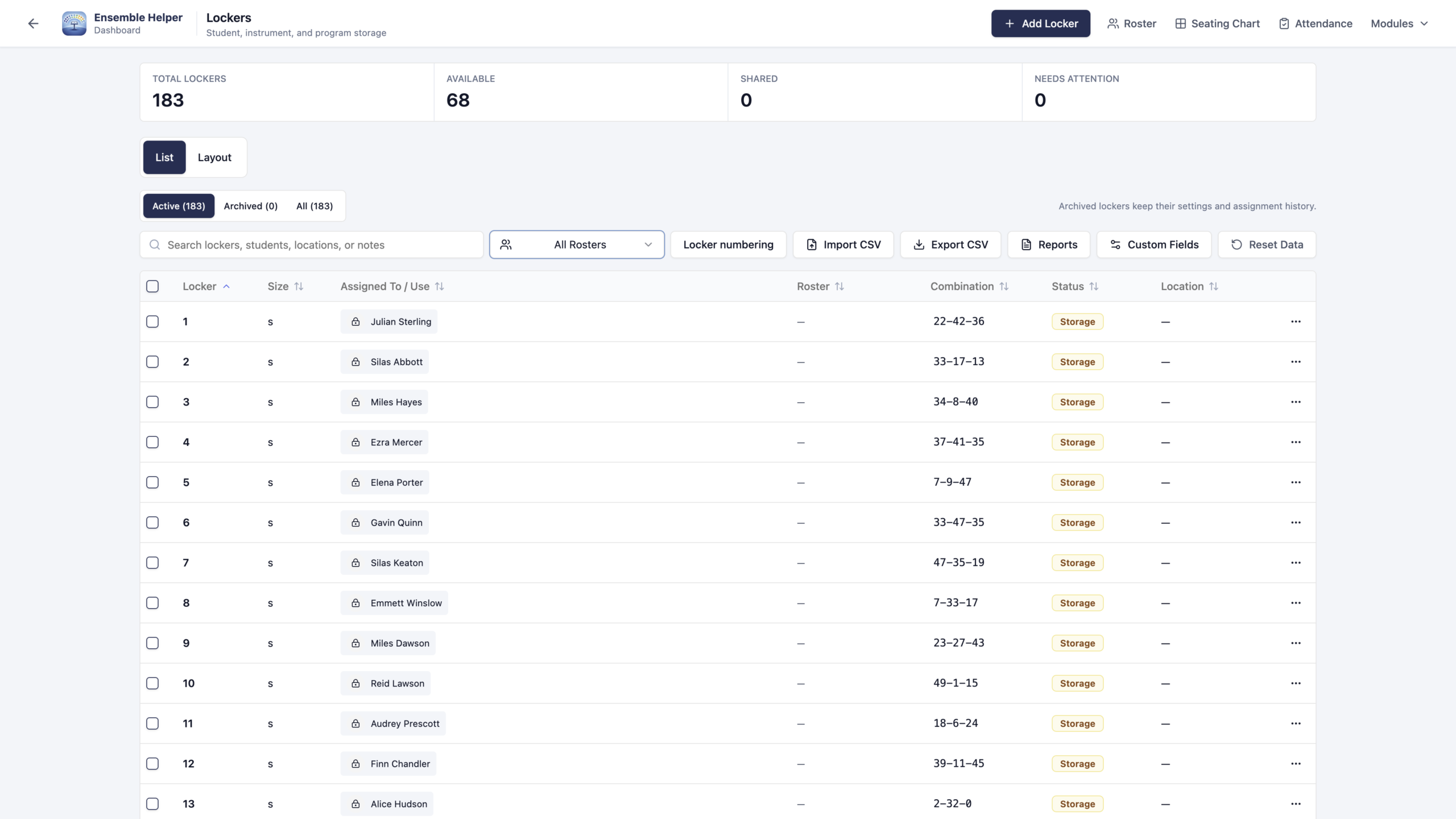
Give students and equipment a clear place to belong. Assign students from any ensemble in your account-wide roster directory without maintaining a separate spreadsheet.
SEE THE WORKFLOW
Explore the original product screenshots. Select an image to enlarge it or view its original available resolution.
ROSTER-BASED ASSIGNMENTS
Keep storage assignments connected as students and needs change throughout the year.
Find students by name, email, or roster using your account-wide directory. Assign multiple students when needed.
Record instrument, uniform, or other storage use. Keep current assignments and a history of past assignments together.
Import existing locker records with CSV or export them when you need to move information in or out.
COMBINATIONS, WITH INTENTION
Choose whether locker combinations are visible immediately or only when someone intentionally reveals them.
Use your shared rosters to find students across the ensembles you manage. Lockers handles storage assignments; Instrument Inventory handles school-owned instrument records, locations, and service information.
PART OF ENSEMBLE HELPER
Open Ensemble Helper, sign in, and choose Lockers. Visit Support if you need help with setup.