Present, absent, and late
Mark students present, absent, late, or otherwise accounted for with as little interruption as possible. Keep clear records without maintaining a separate student list.

ATTENDANCE
Fast attendance tracking built for music rehearsals and classrooms. Use the same roster for seating charts and daily check-ins, without another spreadsheet or paper checklist.
YOUR REHEARSAL, IN VIEW
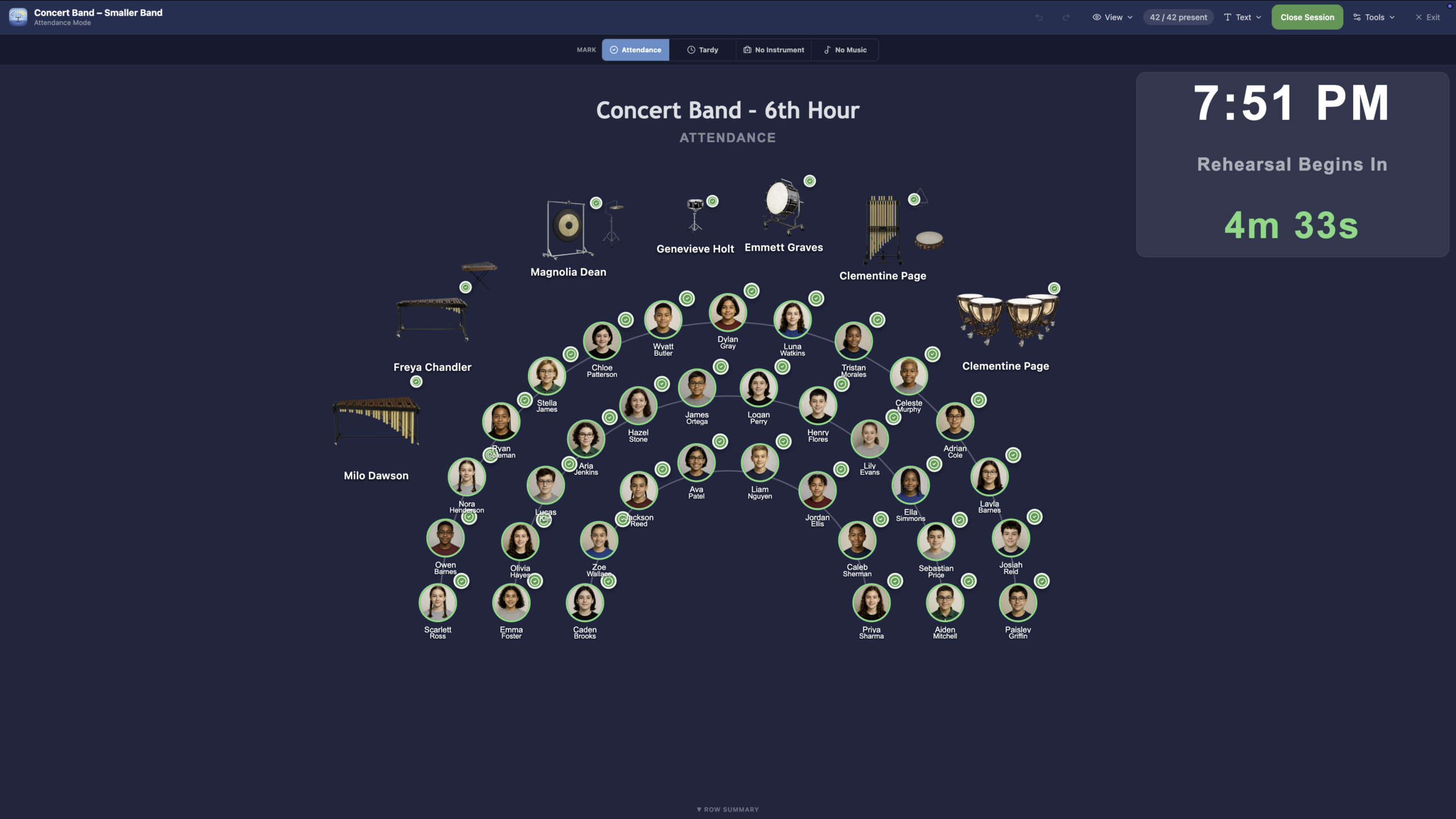
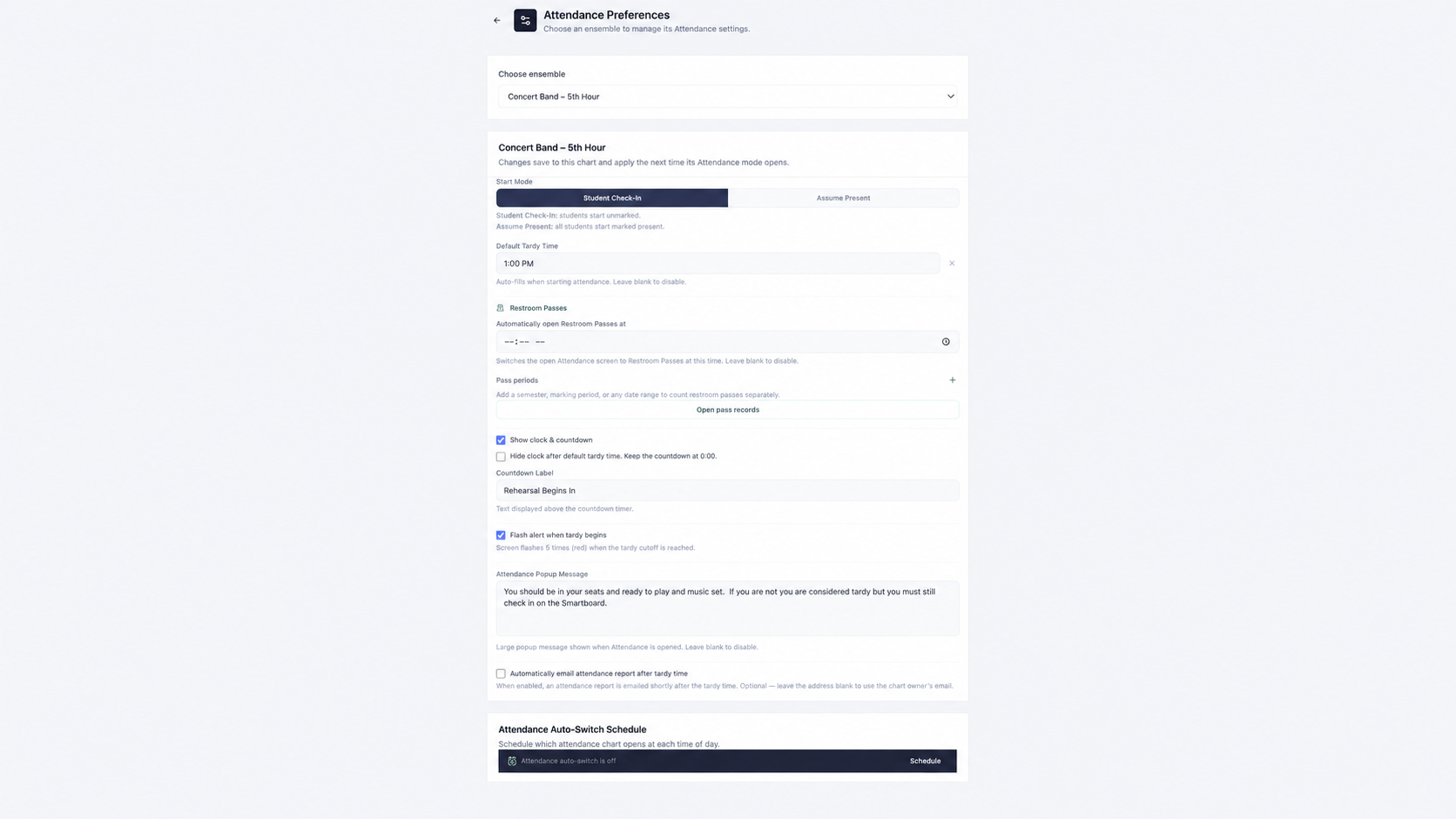
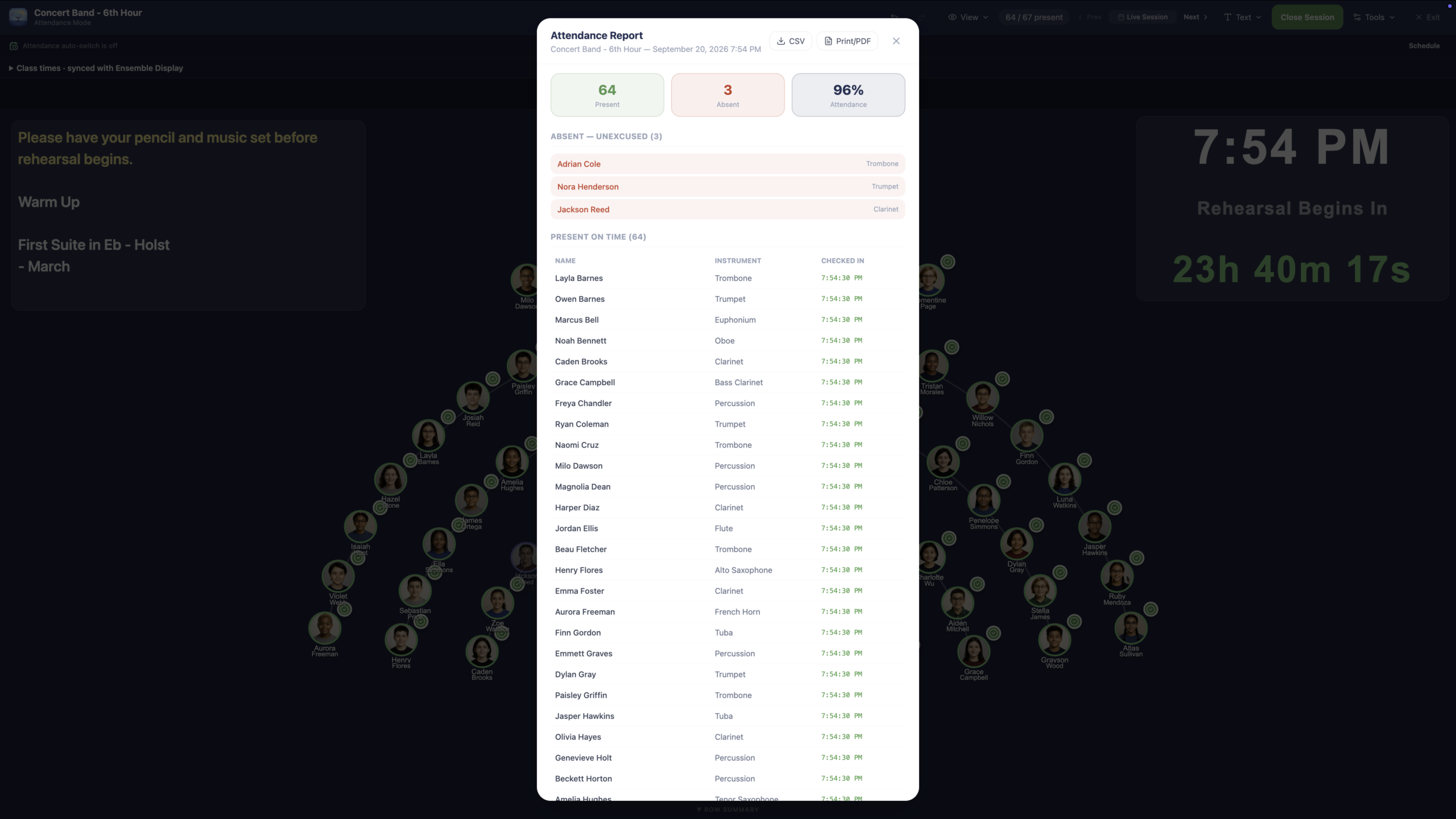
Original product screenshots show the attendance board, rehearsal preferences, and reports. Select any image to enlarge it.
BUILT FOR THE START OF CLASS
Take attendance during daily rehearsals, classes, sectionals, performances, and ensemble meetings.
Mark students present, absent, late, or otherwise accounted for with as little interruption as possible. Keep clear records without maintaining a separate student list.
Use a laptop, tablet, or classroom smartboard. Touch controls help you mark students quickly as they arrive for rehearsal or class.
Display warm-up instructions, rehearsal reminders, bell work, or check-in procedures directly on the attendance board.
THREE SETTINGS, CLEARLY SEPARATED
Set class start and end times for your rehearsal, then choose the tardy cutoff separately. Students who have not checked in can be automatically marked tardy when that cutoff is reached.
Class start and end times sync with Ensemble Display. Display-switch times remain a separate setting, so changing when the next ensemble appears is distinct from setting the class period.
Explore Ensemble DisplayA RECORD YOU CAN USE
Keep attendance history together without rebuilding information in another system.
Generate reports for a single day, a specific date, a week, the full year, or a custom date range.
Review records, spot patterns, document absences, prepare information for administrators, and keep participation records organized.
Review attendance records and use the CSV and print export controls shown in the original report screenshot.
SEE THE WORKFLOW
Original video hosted on ensemblehelper.com. Playback requires a connection to the existing site.
Open the original video ↗If the video is unavailable, the screenshots and feature details on this page remain available.
ONE SHARED ROSTER
Attendance works alongside Seating Charts using the same ensemble roster. Keep names, instruments, sections, and ensemble membership connected instead of updating several lists.
That same roster supports Instrument Inventory, Lockers, and Leadership. Start with a useful roster and carry it into the everyday work of your program.
PART OF ENSEMBLE HELPER
Explore the public demo, or visit Support for help getting started.