Define your categories
Start with categories that make sense for your program. Add, remove, or adjust them whenever your expectations change.

LEADERSHIP
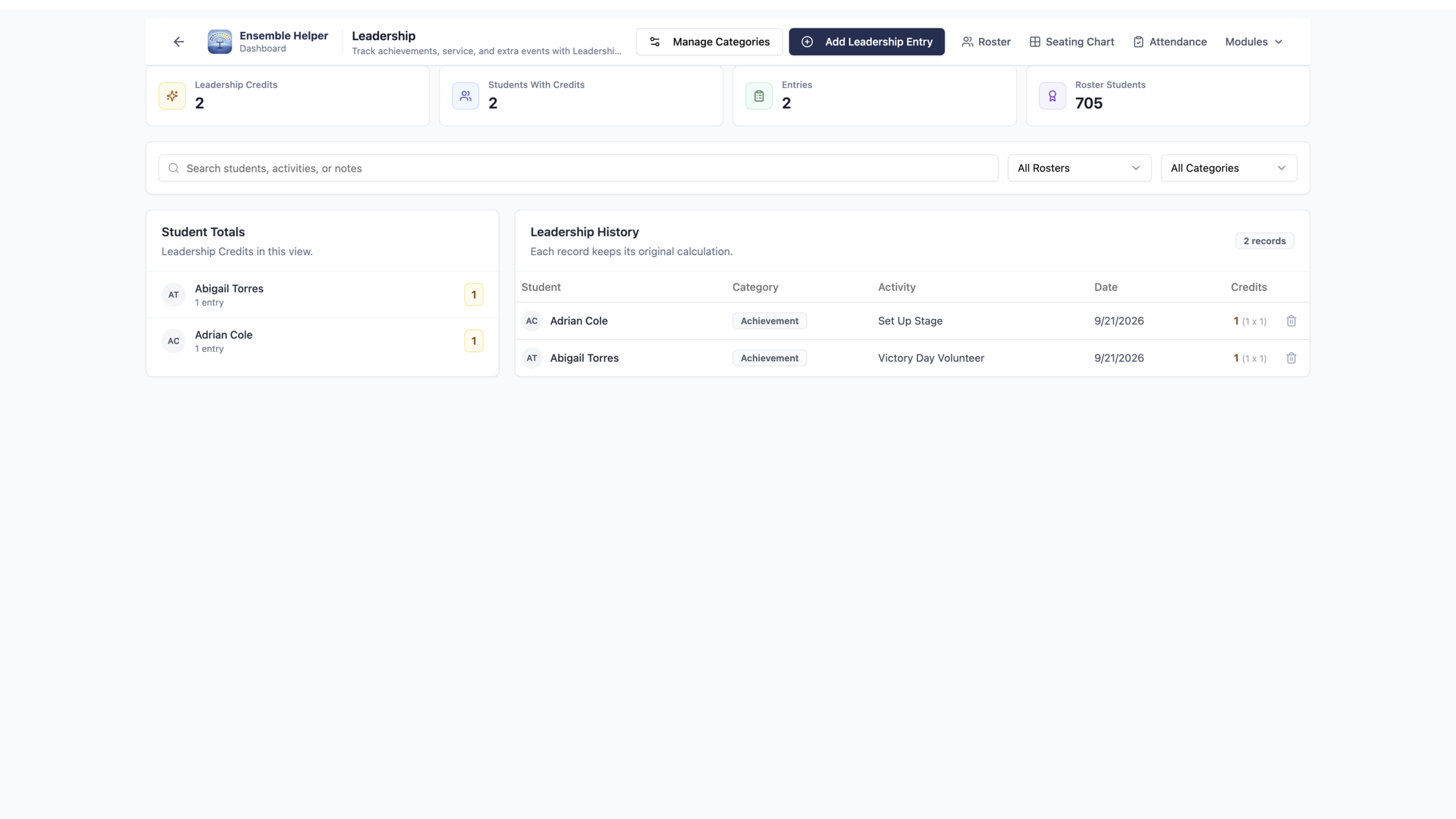
Record achievements, extra service hours, events, and other student contributions using the same student information connected to your ensembles.
SEE THE WORKFLOW
Explore the original product screenshots. Select an image to enlarge it or view its original available resolution.
YOUR CATEGORIES. YOUR CREDIT SYSTEM.
Recognize the work students choose to do beyond their regular rehearsal responsibilities.
Start with categories that make sense for your program. Add, remove, or adjust them whenever your expectations change.
Assign a weight to each entry. Leadership calculates credits as students build their history of contributions.
Recognize help with equipment, support for a program event, extra service hours, events, and achievements. Record contributions consistently as they happen.
THROUGHOUT THE YEAR
Keep a history of service, events, and achievements over time, using the categories and credit system you choose for your program.
Leadership uses student information connected to your ensemble rosters, so you can keep each student’s contributions together without maintaining another student list.
Explore Shared RostersPART OF ENSEMBLE HELPER
Open Ensemble Helper, sign in, and choose Leadership. Set up your categories and weights, then begin recording student contributions. Visit Support if you need help.