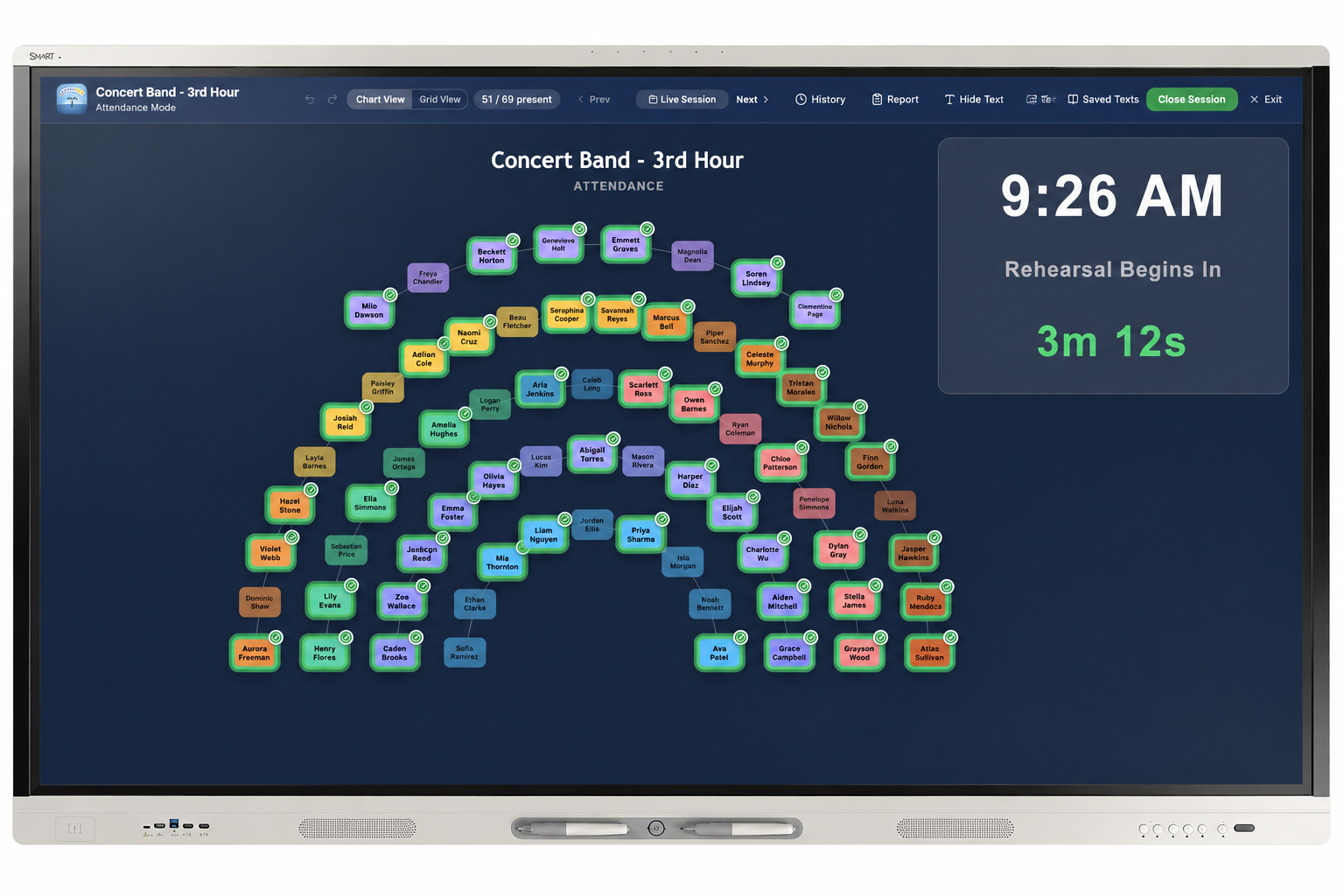
Attendance Module
Fast attendance tracking built for music rehearsals and classrooms
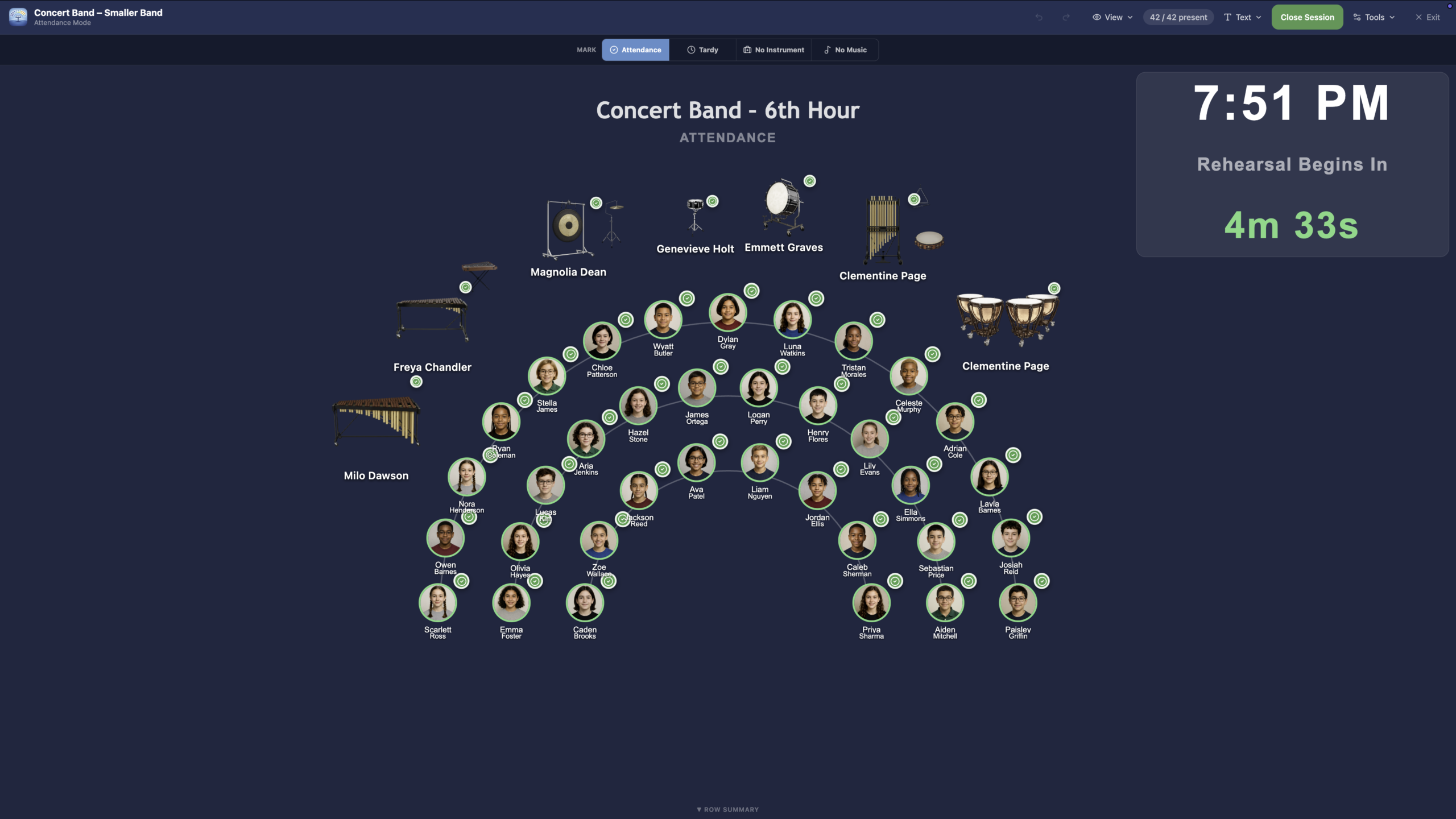
Watch the attendance demonstration
Quick Daily Tracking
Take attendance quickly during rehearsals, classes, sectionals, or ensemble meetings.
Present, Absent, and Late
Track common attendance statuses so directors can keep clear records without extra spreadsheets.
Connected to Your Roster
Attendance works alongside the Seating Chart module, helping directors build one reliable source of student information.
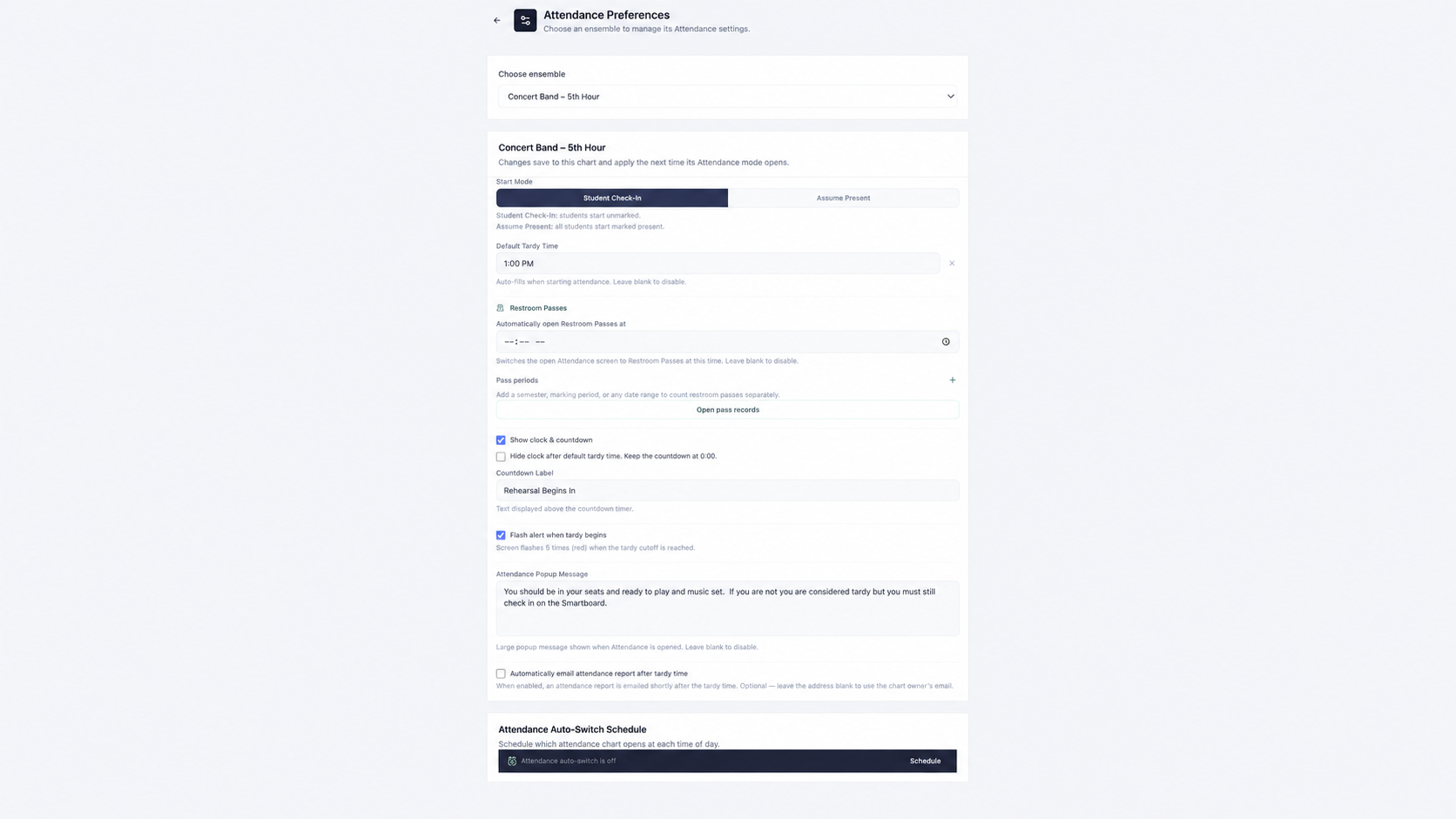
Class Times and Tardy Cutoff
Set class start and end times, and choose the tardy cutoff separately. Students who have not checked in can be marked tardy when the cutoff is reached.
Smartboard Friendly
Use Attendance on a classroom SmartBoard and use touch controls to mark students quickly during rehearsal or class check-in.
Attendance Board Directions
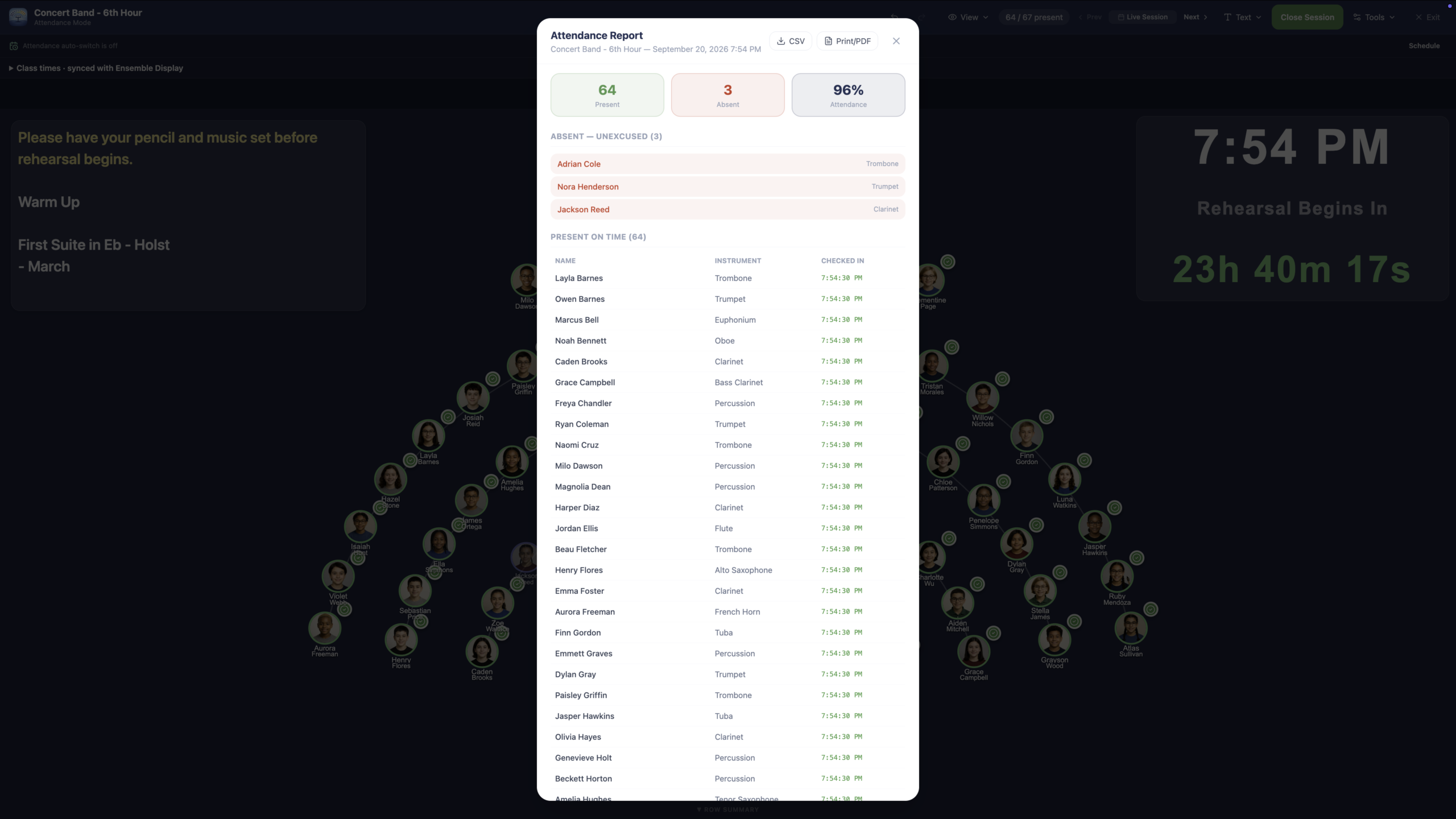
Display warm-up instructions, rehearsal reminders, bell work, or check-in procedures directly on the attendance board.
Flexible Attendance Reports
Generate reports for a single day, specific date, week, full year, or custom date range.
Attendance gives directors a practical way to track student attendance without creating a separate spreadsheet, paper checklist, or disconnected attendance system. Because Attendance uses the same ensemble roster that powers Seating Charts, directors can build one reliable student list and use it for both chart placement and daily attendance routines.
Music rehearsals move quickly, and attendance needs to be fast enough to use during a real class period. Ensemble Helper Attendance is designed to help directors mark students present, absent, late, or otherwise accounted for with as little interruption as possible. It can support daily rehearsals, sectionals, classes, performances, and other ensemble events where accurate attendance matters.
Attendance is also designed for how rehearsals actually begin. Directors can use it on a laptop, tablet, or classroom smartboard to check students in quickly as they arrive. Set class start and end times for your rehearsal, then choose the tardy cutoff separately. Students who have not checked in can be automatically marked tardy when that cutoff is reached. Class start and end times sync with Ensemble Display; display-switch times remain a separate setting. Directors can also place directions directly on the attendance board, making it easy to display warm-up instructions, rehearsal reminders, bell work, or check-in procedures while attendance is being taken.
Attendance becomes more useful over time because it creates records that can be reviewed later. Directors can generate reports for a single day, a specific date, a week, a full year, or a custom date range. This makes it easier to review attendance history, spot patterns, document absences, prepare information for administrators, and keep participation records organized without rebuilding data in another system.
What makes Attendance powerful is its connection to the larger Ensemble Helper system. Instead of updating student names, instruments, sections, and ensemble membership in multiple places, directors can use one shared roster as the foundation. That same roster supports Seating Charts, Attendance, Instrument Inventory, Lockers, and Leadership. All current and future Ensemble Helper modules are included in the $39/year subscription, including Ensemble Display for rehearsal slides and scheduled ensemble changes.
Attendance gives directors a simple way to start using the system, build a useful roster, and experience how shared ensemble data can reduce repeated work throughout the year.