
Rosters
Build each ensemble once, then use the same student information across Seating Charts, Attendance, Instrument Inventory, Lockers, and Leadership.
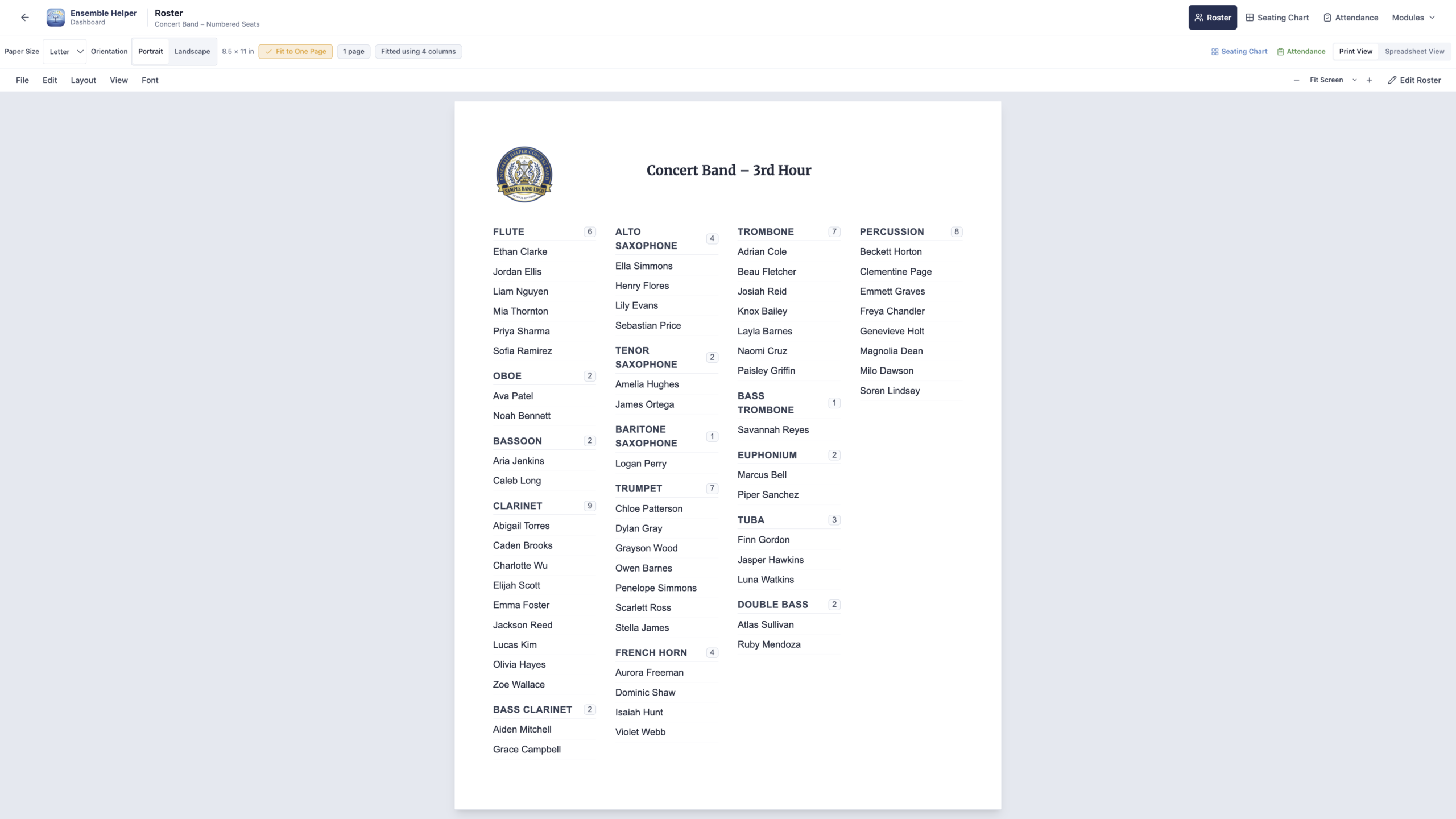
Multiple Ensemble Rosters
Create separate rosters for each class, ensemble, section, or group you conduct.
Google Classroom Import
Import class rosters directly from Google Classroom to start building charts and attendance records faster.
CSV Roster Import
Bring in existing rosters from spreadsheets or exported CSV files instead of typing every student by hand.
Reusable Student Data
Use the same student information across charts, attendance, instrument assignments, locker records, and leadership tracking.
Fewer Duplicate Updates
Update student information in the roster instead of rebuilding the same list in multiple places.
Built for Connected Tools
Let each roster support the Ensemble Helper modules connected to that ensemble.
Ensemble Helper is built around a shared roster system for the way music directors organize students. Create separate rosters for concert band, jazz band, marching band, orchestra, choir, percussion, small groups, or individual class periods.
Build rosters manually, import from Google Classroom, or bring in an existing spreadsheet or SIS export using CSV import. Start from the student list you already have.
Use the same student information across Seating Charts, Attendance, Instrument Inventory, Lockers, and Leadership. Keep instrument assignments, locker records, and leadership credits connected without maintaining separate student lists.
When students change instruments, move sections, or join another ensemble, manage their information in the shared roster. Your ensembles also provide the organization for Ensemble Display, where you prepare rehearsal slides and schedule ensemble changes.
All current and future Ensemble Helper modules are included in the $39/year subscription. Organize your students once, then use the connected tools that support your teaching day.