Essential Tools for Music Directors
Features That Support Your Ensemble
Bring your program’s daily work together with connected rosters, seating charts, attendance, instrument inventory, lockers, and leadership records. Ensemble Display adds rehearsal slides and scheduled ensemble changes to your teaching day.
Introducing: Ensemble Display: create slides, save templates for each ensemble, plan switch times, and present automatically.
Explore Instrument Inventory for instrument assignments, Lockers for storage assignments, and Leadership for student leadership records.
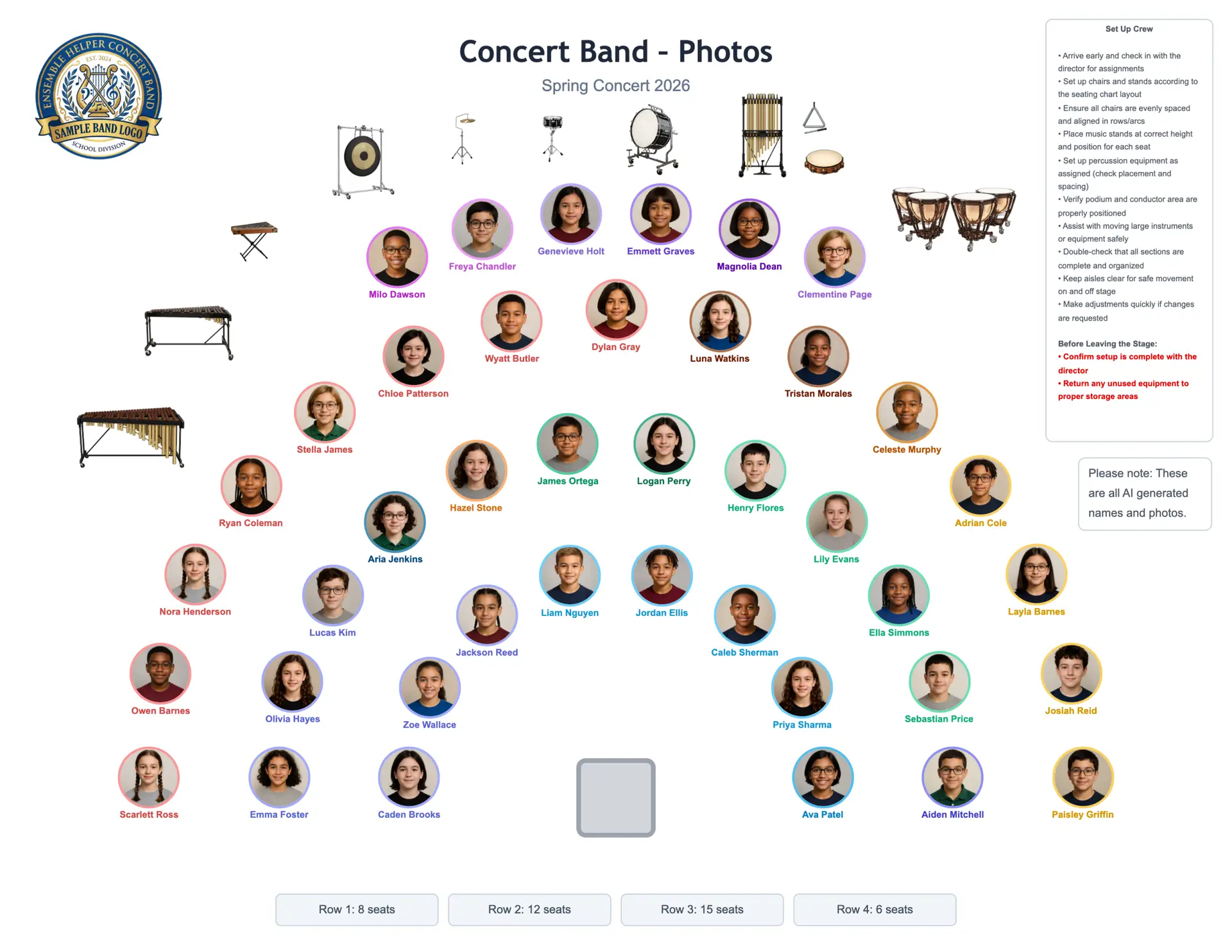
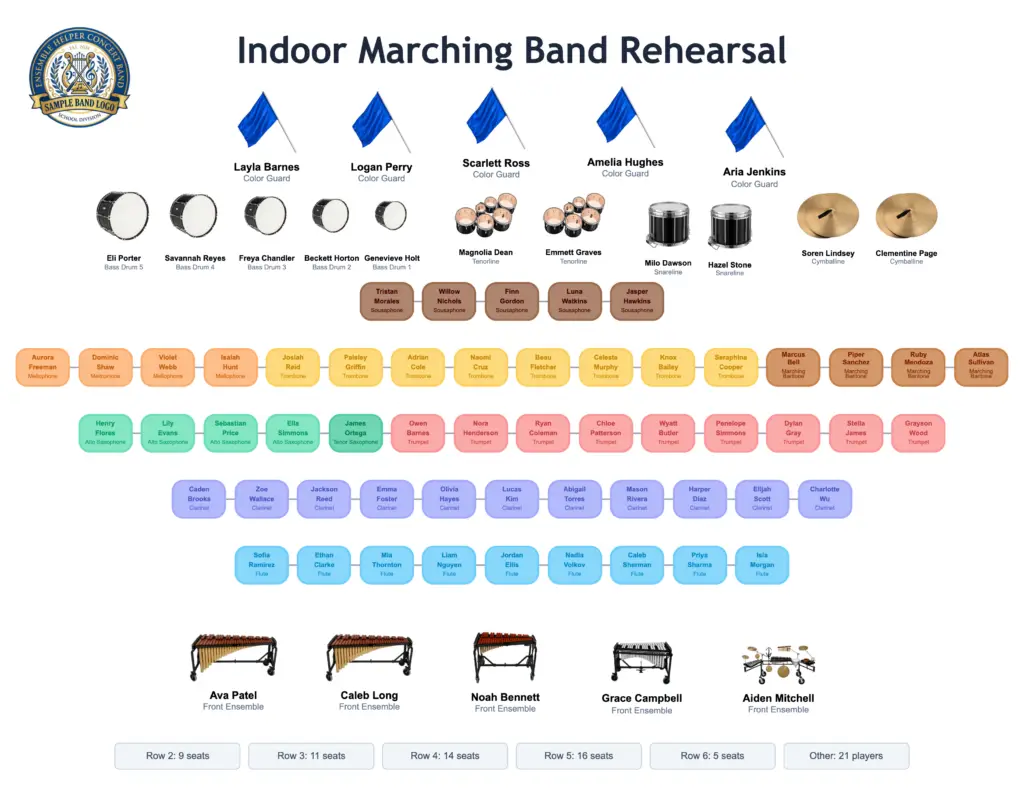
Custom Seating Charts
Versatile Layout Options
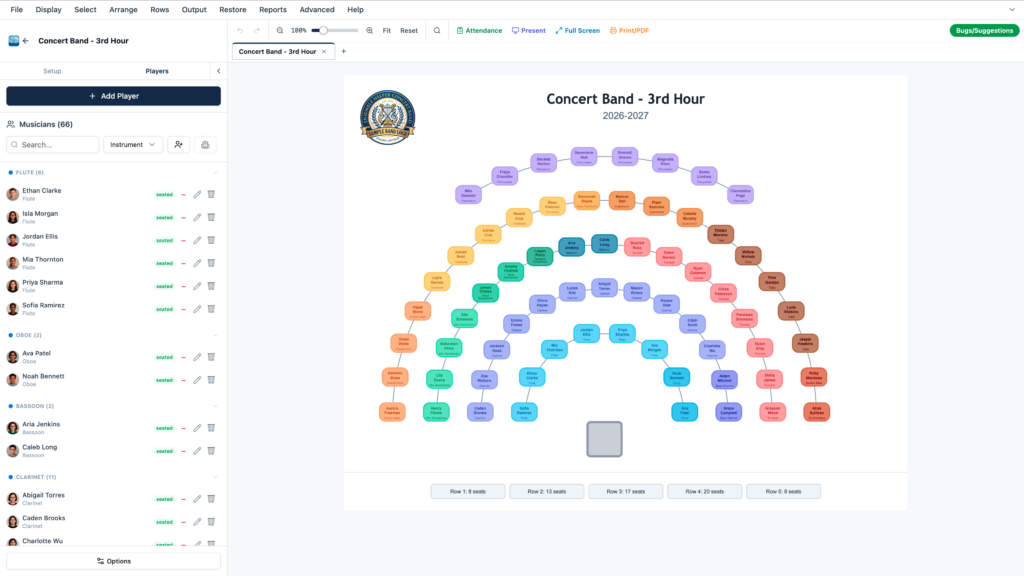
Flexible Seating Charts
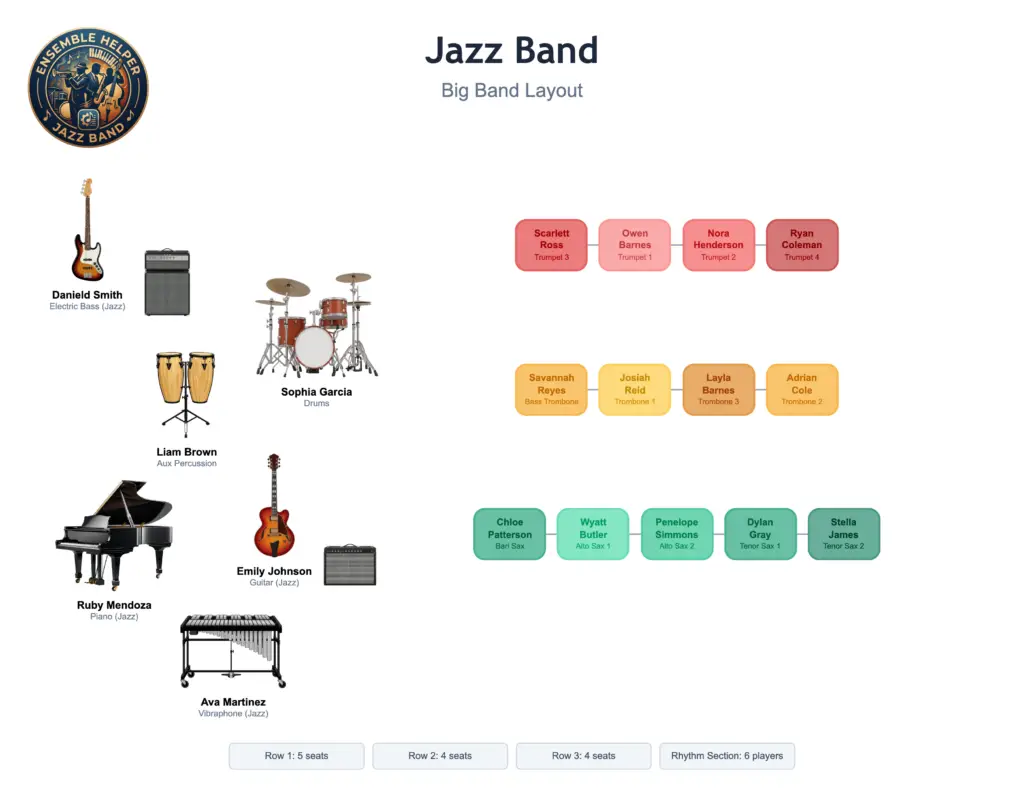
Create layouts that match real ensemble setups instead of forcing every group into one generic chart.
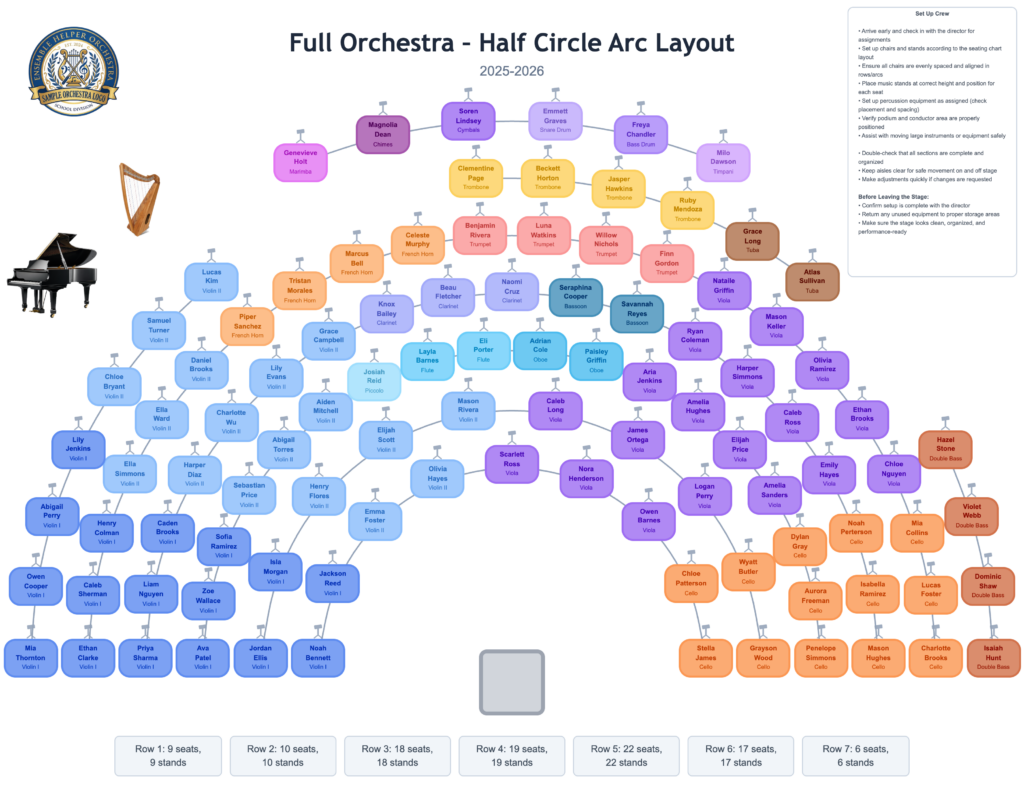
Concert Arcs and Straight Rows
Build traditional concert arcs, straight classroom rows, or a mix of both depending on the room and ensemble.
Centered and Full-Width Row Options
Choose whether rows center around the conductor or spread across the available performance space.
Custom Row Controls
Adjust row names, seat counts, spacing, guide lines, and layout style to fit each ensemble.
Drag-and-Drop Student Placement
Move students quickly as sections, chair placements, or rehearsal needs change.
Section Colors and Labels
Use colors and labels to make sections easy to identify at a glance.
Presentation Mode
Project a clean chart for students, section leaders, substitutes, or rehearsal setup.
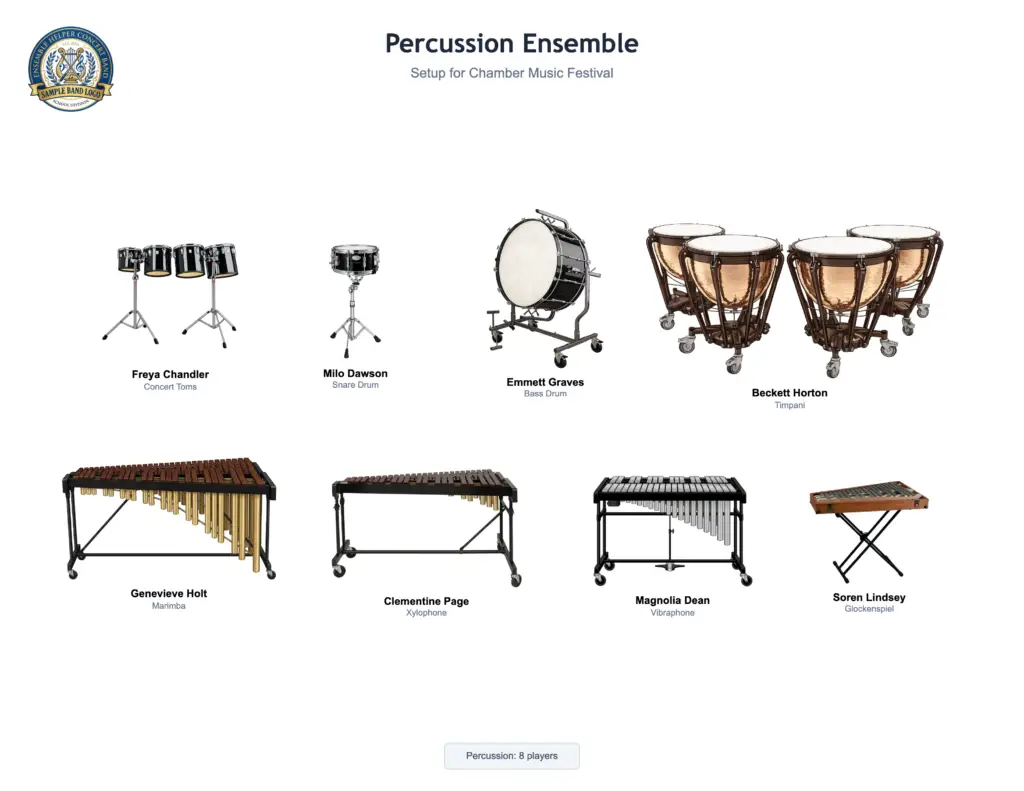
Percussion-Friendly Layouts
Add percussion icons, attach players, and organize equipment areas clearly.
Mobile Viewing
View charts on phones, tablets, Chromebooks, laptops, and classroom displays.
Print, PDF, and PNG Export
Export charts for printing, sharing, rehearsal planning, substitutes, or section leaders.
Demo Charts
Start with sample charts and layouts to see what Ensemble Helper can do before building your own.
Attendance Features
Track Attendance Easily
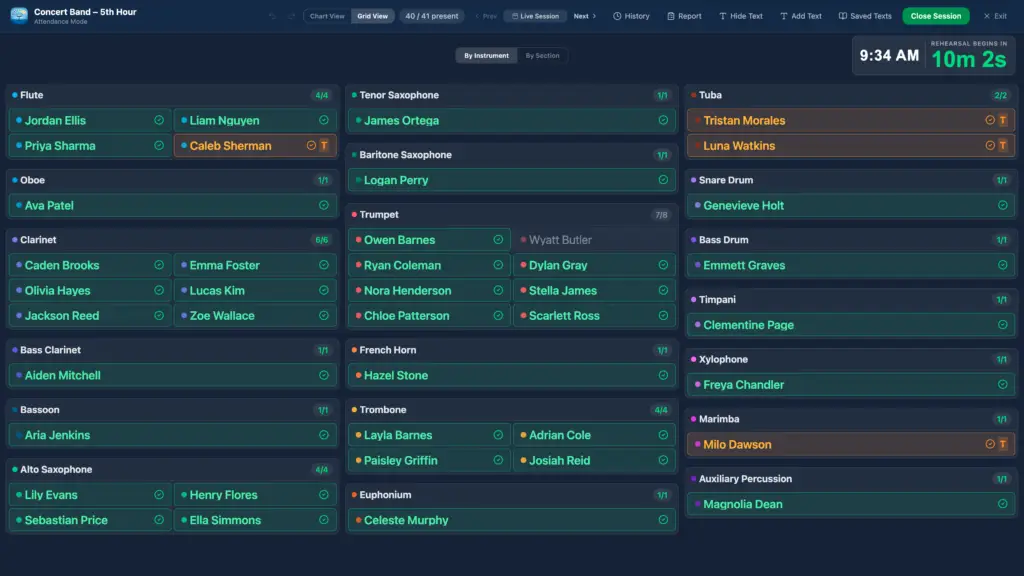
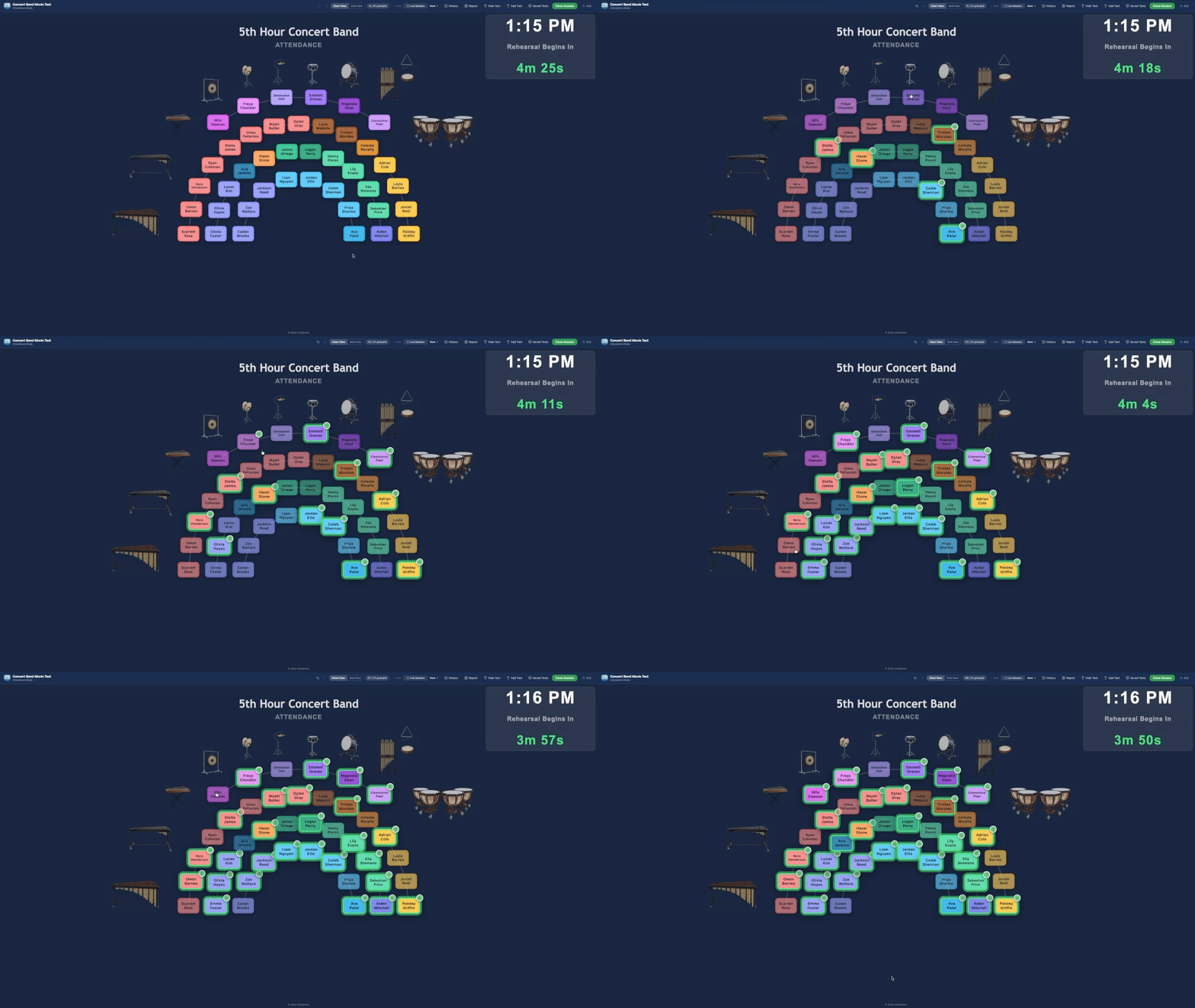
Quick Daily Attendance Tracking
Take attendance quickly during rehearsals, classes, sectionals, performances, or ensemble meetings.
Present, Absent, Late, and Other Statuses
Track common attendance statuses so records are clear and easy to review later.
Smartboard-Friendly Attendance
Use Attendance on a classroom smartboard or interactive display for touch-friendly check-in.
Class Start and End Times
Set class start and end times that stay connected with Ensemble Display. Choose your tardy cutoff separately.
Automatic Tardy Marking
Automatically mark students tardy if they have not checked in when your chosen tardy cutoff is reached.
Attendance Board Directions
Display warm-up instructions, rehearsal reminders, or check-in procedures directly on the attendance board.
Daily, Weekly, Yearly, and Custom Date-Range Reports
Generate reports for a single day, specific date, week, full year, or custom date range.
Attendance Connected to Shared Rosters
Use the same roster data from Seating Charts so attendance does not require a separate student list.
Shared Rosters
Build Each Roster Once. Use It Everywhere.
Multiple Rosters for Different Classes or Ensembles
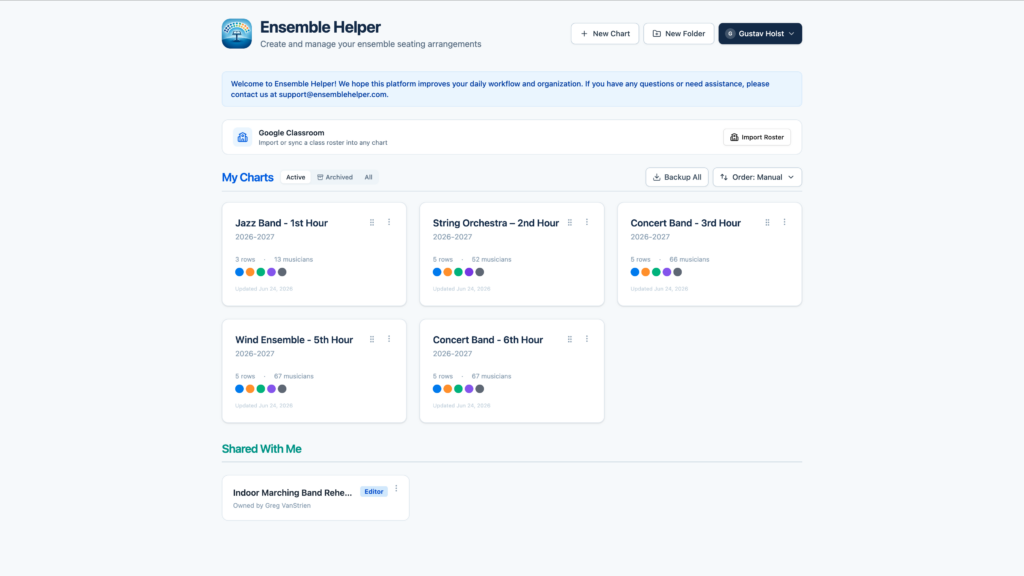
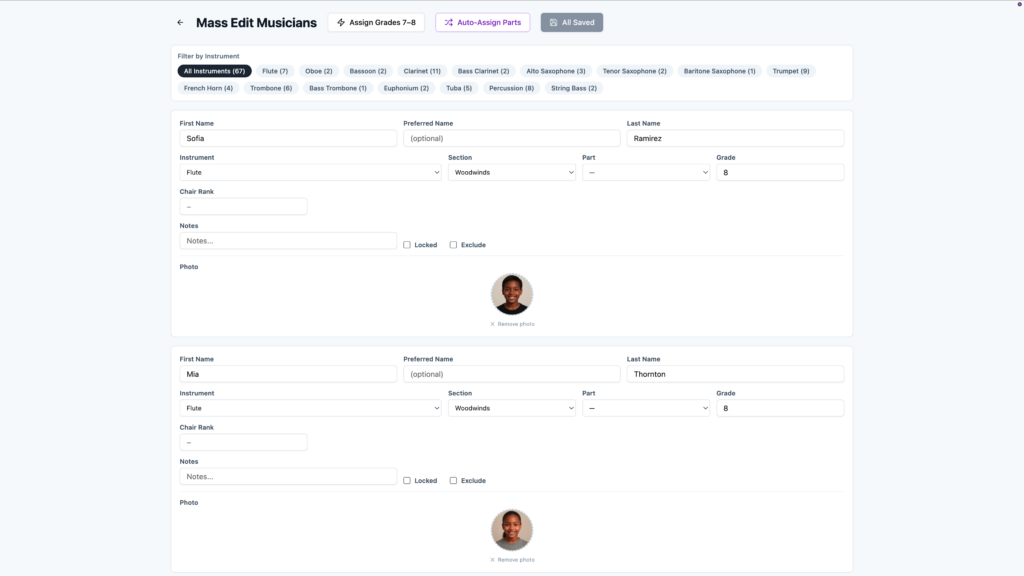
Create separate rosters for each class, ensemble, section, or group you conduct.
Roster Reuse Across Seating Charts and Attendance
Use each roster across connected tools instead of rebuilding the same list multiple times.
Google Classroom Roster Import
Import student rosters from Google Classroom to speed up setup for classes already managed there.
CSV Roster Import
Bring in existing rosters from spreadsheets or other systems using a CSV file.
Class and Ensemble Organization
Keep concert band, jazz band, orchestra, percussion, choir, and other groups organized separately.
Fewer Duplicate Updates
Update student information in one roster instead of changing it in several spreadsheets, charts, and documents.
Foundation for Connected Tools
Use roster data across Seating Charts, Attendance, Instrument Inventory, Lockers, and Leadership to keep student information connected.
Classroom Workflow
Built for the Way Music Classrooms Run
Works on Desktops, Laptops, Chromebooks, Tablets, Phones, and Smartboards
Use Ensemble Helper across the devices directors already have in classrooms and rehearsal spaces.
Designed for Rehearsal, Class, and Performance Routines
Built around the daily flow of music teaching, including setup, attendance, rehearsal, and sharing information.
Useful for Directors, Substitutes, Section Leaders, and Students
Create charts and attendance tools that can support more than just the director’s planning.
Demo Mode for Trying Sample Charts and Layouts
Explore sample data and example layouts before creating your own rosters and charts.